 iGroup
iGroup Tabs for every window on your Mac.
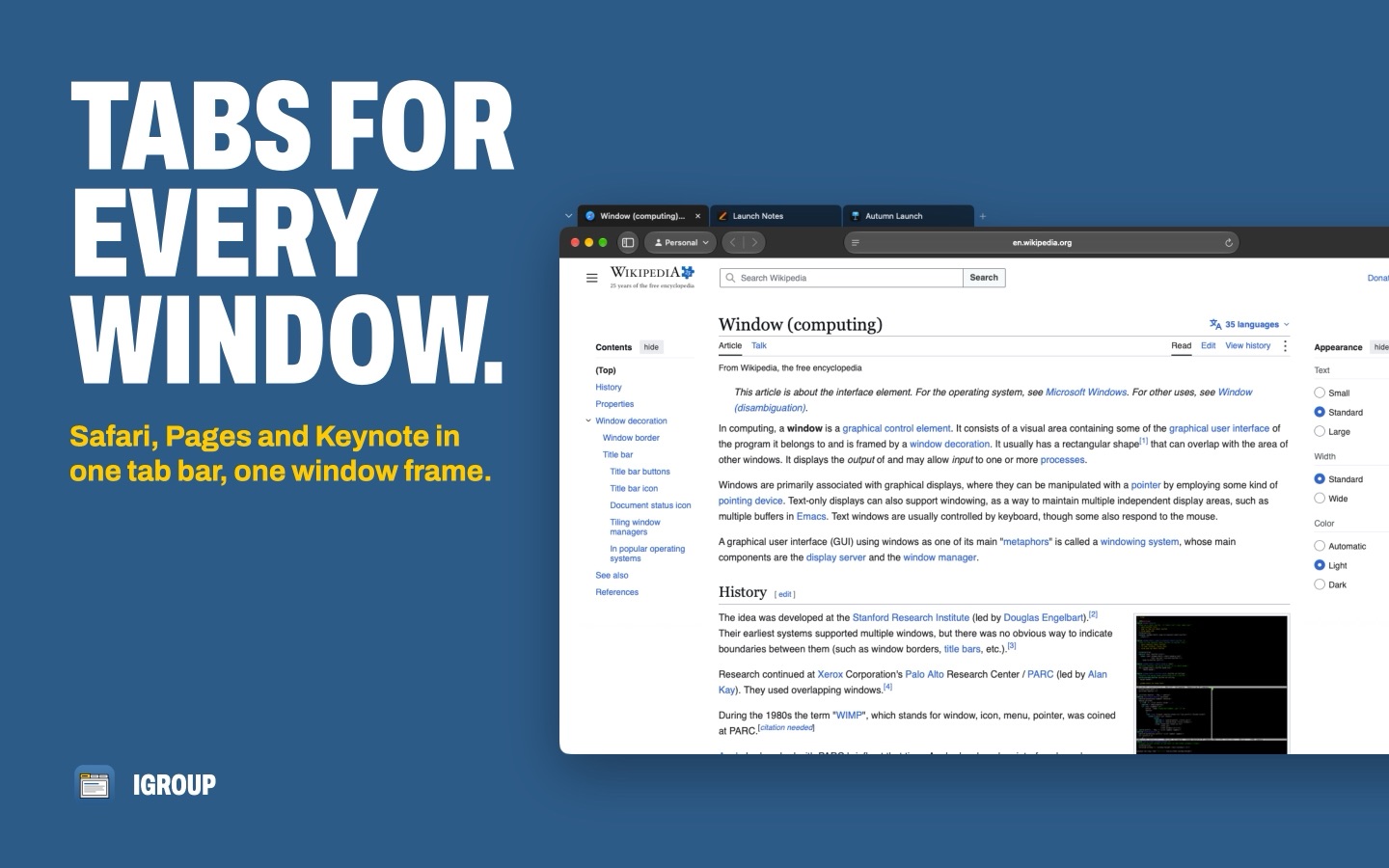
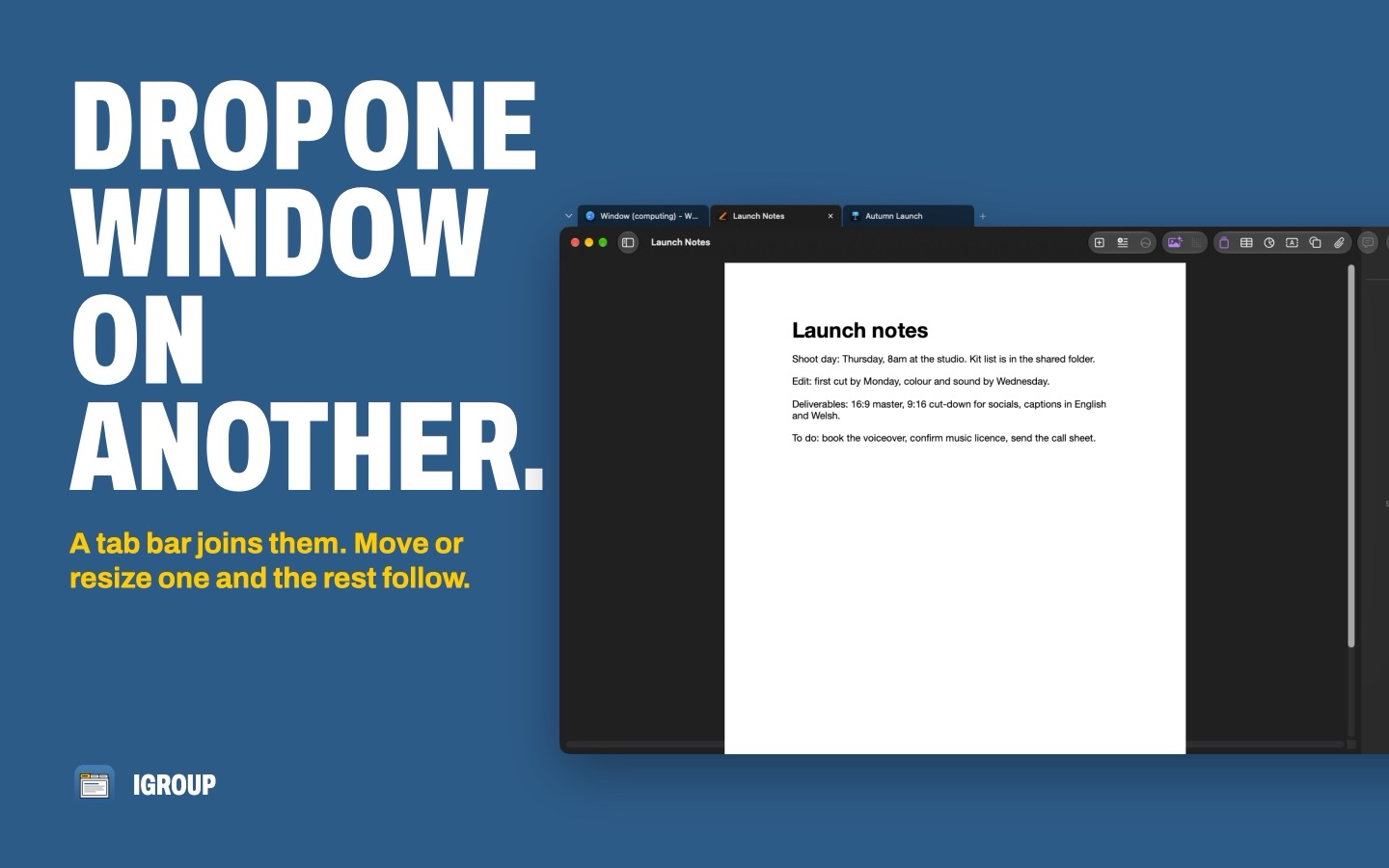
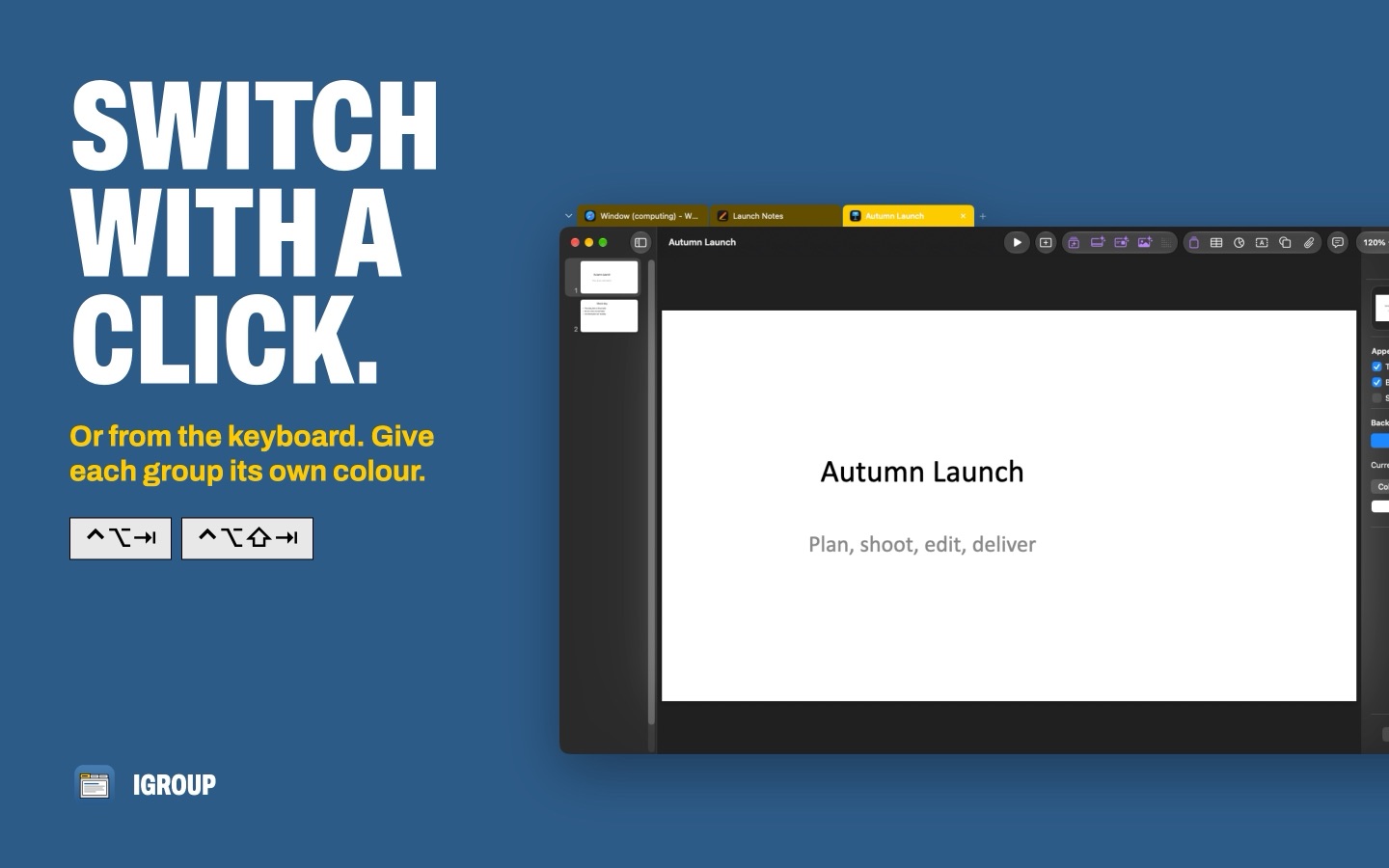
Drag one window onto another and they share a tab bar. Safari, Pages, Keynote, Finder, anything: one window frame, one click between them.
For macOS 14 Sonoma or later. The Legacy Edition, available on Gumroad, works on macOS 10.14 Mojave or later.
Four moves. That's the lot.
- 1
Drag
Drag any window onto another window's title bar. Hold a key first if you'd rather grouping only happens on purpose.
- 2
Snap
A tab bar appears above them and the windows share one frame. Move or resize one, and the rest follow.
- 3
Switch
Click a tab, or press ⌃⌥⇥, to bring that window to the front. Drag a tab away to pull it out again.
- 4
Save
Right-click a tab and choose Save Group to make a Tab Preset. Open it later, apps and all, from Spotlight, Launchpad, the Dock or the menu bar.
And everything around it.
A New Tab Page
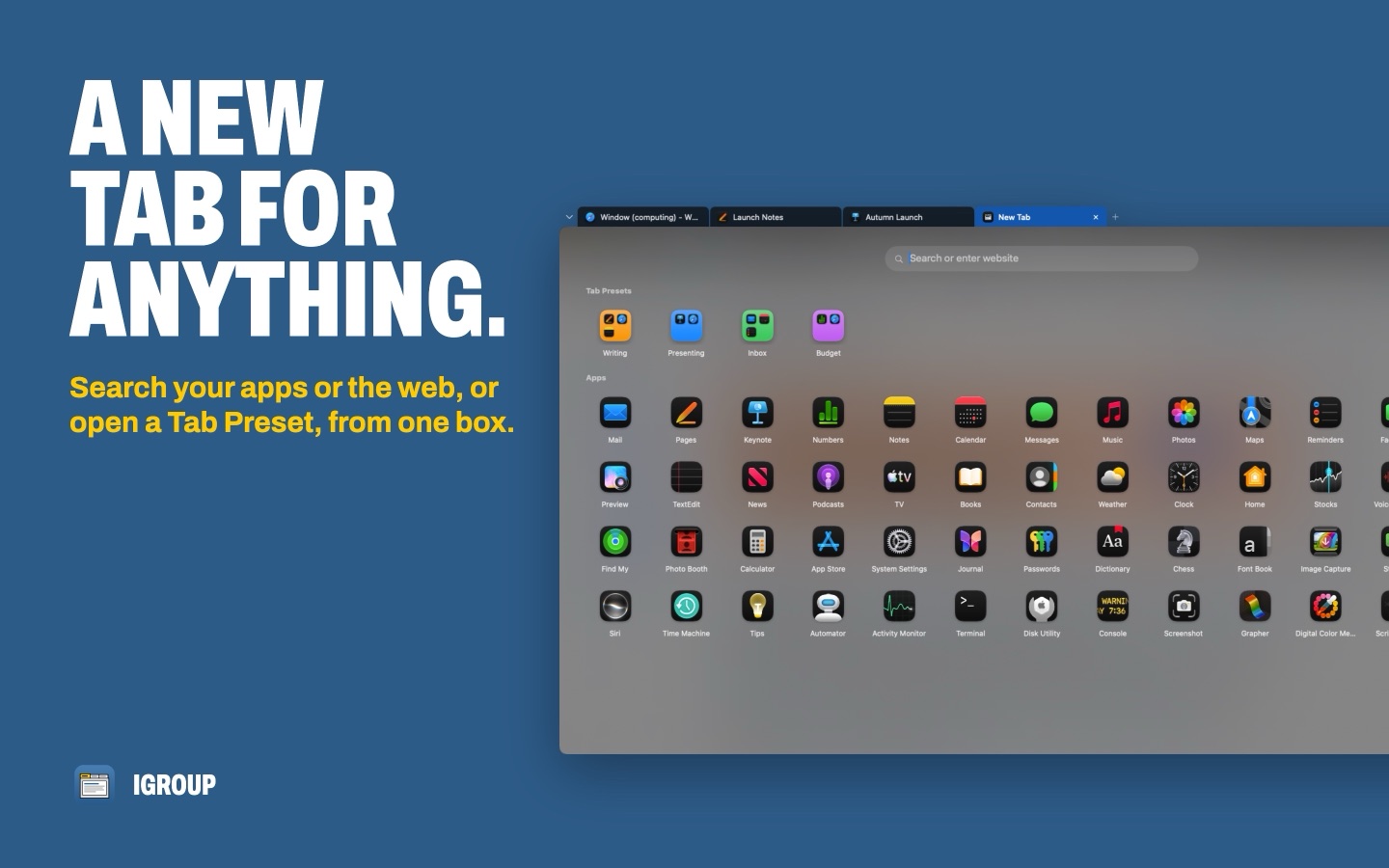
Click + and the new tab opens on a page of your apps, most used first. Type in one box to find an app or a Tab Preset, open a website, or search the web in your default browser. Prefer something simpler? Make + open an app you choose, or a new window of the app in front.
Tab Presets
Save a set of apps and webpages as a preset with its own name and colour. iGroup turns it into an app with an icon made from its apps, so you can open it from Spotlight, Launchpad, the Dock or your desktop, and everything opens tabbed together.
Safari tabs, group tabs
Turn on the iGroup Tabs Safari extension and a new tab in a grouped Safari window opens as a tab of the group instead, next to your other apps. It's optional and stays off until you switch it on.
Every group in the Dock
Give each group its own Dock item, drawn from its apps in its colour, whether the group is minimised or not. Click it to bring the group forward.
A colour for each group
New groups each get their own accent colour, so you can tell them apart at a glance. Pick a different one, or switch it off.
Tabs that make room
Drag a tab along the bar and the others slide aside to make room for it. Click any part of a group's bar to bring that group to the front.
Same app, one group
Auto-tab gathers an app's open windows into one group and adds its new windows as tabs. Turn it on for every app, or only the ones you choose. Smaller windows, like palettes and pop-ups, are left alone. Press ⌘N in a grouped window and the new window opens as a tab.
One item in Stage Manager
A group shows as one item in the Stage Manager strip, and minimising it sends the whole group there together. Bring it back and every tab comes with it.
A Dock icon for your groups
Show iGroup in the Dock and its icon combines the front group's apps and shows how many groups are open. Its menu lists every group and Tab Preset.
Rules and app lists
Match windows by app and title text, then always tab the matches together or never group them. Keep a list of apps iGroup should never touch, or the only apps it should.
Keyboard shortcuts
⌃⌥⇥ next tab, ⌃⌥⇧⇥ previous, ⌃⌥W close, ⌃⌥U ungroup and ⌃⌥R rename. Change any of them in Settings.
One kind of tab
Use iGroup tabs instead of native tabs in Finder and TextEdit. Turn it off and your old settings come back.
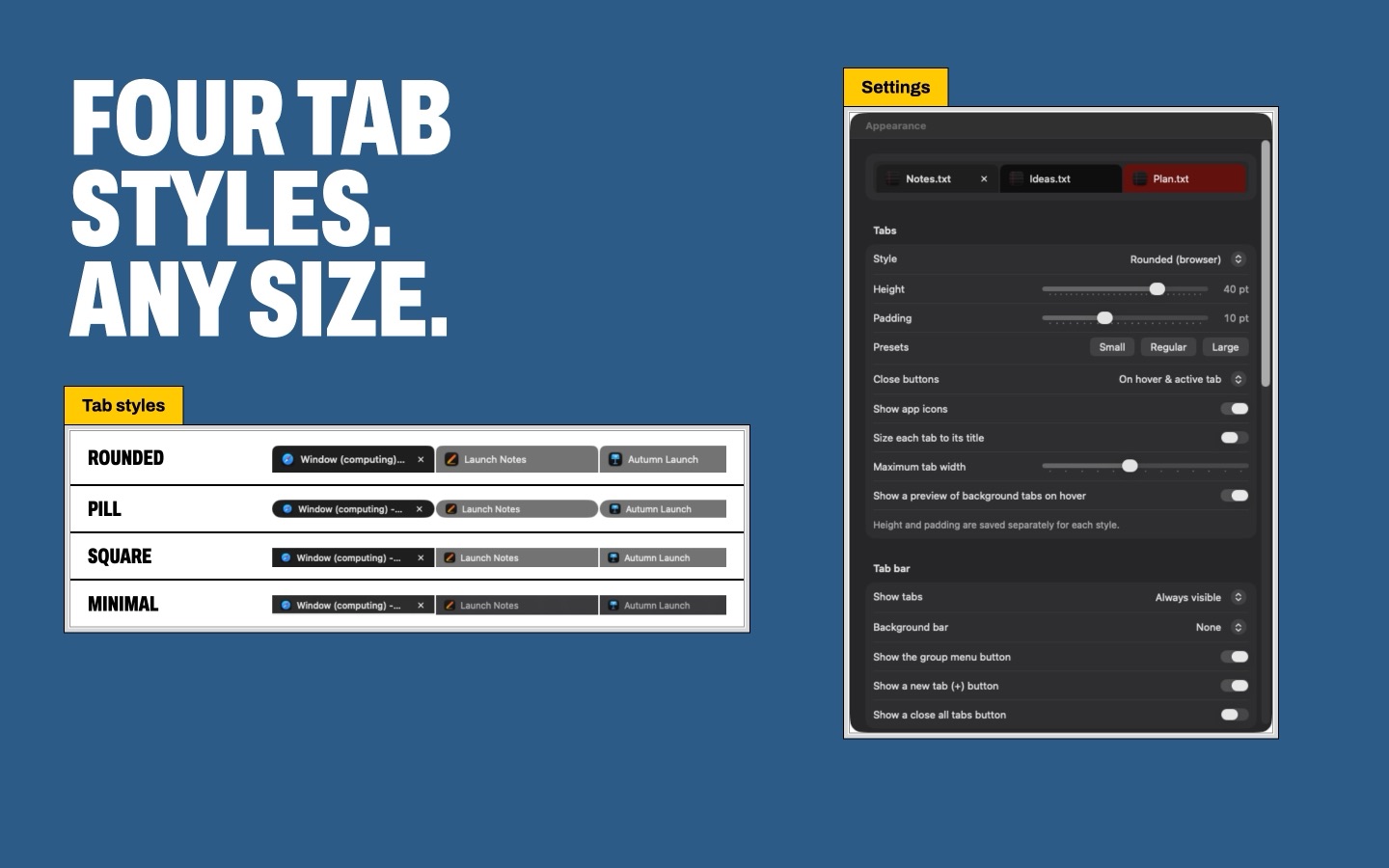
Four tab styles. Any size.
Rounded (browser)
Pill
Square
Minimal (underline)
Each style keeps its own height (20 to 48 pt) and padding (2 to 24 pt). Choose when close buttons show, whether tabs carry app icons, a background bar, your own tab colours, an accent colour per group, and the outline that shows where a dragged window will land.
The real thing.
What it needs.
- System
- macOS 14 Sonoma or later. Liquid Glass tabs need macOS 26 or later. Older Macs: the Legacy Edition, available on Gumroad, works on macOS 10.14 Mojave or later. It doesn't include the New Tab Page, Tab Preset apps, the Safari extension or Dock items for each group.
- Permission
- Accessibility access, so iGroup can move, raise and tab other apps' windows. It asks on first launch.
- Works with
- Any app with standard windows.
- Languages
- English, Chinese (Simplified and Traditional), French, German, Korean, Portuguese (Brazil), Russian and Spanish. The Legacy Edition is in English.
- Your data
- No account and no tracking. Groups and settings stay on your Mac. Privacy policy
Created by Toby Jones in England, UK